
Uptown Pokies App in Your Pocket
We built the Uptown Pokies app to do three jobs well: load fast, keep your AUD balance in plain sight, and get you from login to the reels in a few taps. Pokies, live tables, poker and betting sit in one place, and you can deposit by card or crypto without leaving the app.

Uptown Pokies App: What You Get on Your Phone
A plain overview of playing Uptown Pokies on mobile, from games to payments.
We are Uptown Pokies, and this page explains how our casino runs on a phone or tablet. No fluff. You get the same account, the same AUD balance and the same welcome offer as on desktop: a 250% match plus 350 free spins spread across your opening deposits. Sign in once and your progress, bonuses and history carry across every device.
The game library on mobile covers slots, live tables, poker and betting. Titles come from Evolution, Pragmatic Play, NetEnt and Push Gaming. Gates of Olympus, Book of Dead and Starburst load in portrait or landscape, and live dealer streams from Evolution adjust to your connection speed so a weak signal does not drop you mid-hand.
Banking works the same way. Deposit with Visa or Mastercard, or use Bitcoin, Litecoin and Ethereum if you prefer crypto. The cashier keeps it short: pick a method, enter the amount, confirm. If something goes wrong, live chat sits one tap away, with email and phone support as backup.
Below, we cover installation, system requirements, features and the questions players ask most. Read it in order and you will be set up in a few minutes.
Mobile Site vs App: Which One Fits Your Play
A practical side-by-side so you can pick the setup that suits your phone and habits.
We run Uptown Pokies two ways on mobile: straight through the browser, or from a home screen app shortcut. Both connect to the same account, the same AUD balance and the same game library from Pragmatic Play, NetEnt, Push Gaming and Evolution. The difference comes down to storage, speed of access and how you like to log in.
Here is the checklist. If your phone is short on space or you switch devices often, the browser version does the job with zero install. If you play most evenings and want Gates of Olympus or Book of Dead one tap away, the app saves you a few steps every session. Bonuses, including the 250% welcome offer with 350 free spins, work identically on both. Deposits by Bitcoin, Litecoin, Ethereum, Visa or Mastercard go through the same cashier either way, so you lose nothing by choosing one over the other.
| Feature | Mobile site | App |
|---|---|---|
| Installation | None, open in any browser | One-time install to home screen |
| Storage used | Browser cache only | Small, a few MB |
| Launch speed | Type URL or use bookmark | One tap from home screen |
| Game library | Full library | Full library |
| Live casino (Evolution) | Available | Available |
| Welcome bonus 250% + 350 free spins | Eligible | Eligible |
| Payment methods | Bitcoin, Litecoin, Ethereum, Visa, Mastercard | Bitcoin, Litecoin, Ethereum, Visa, Mastercard |
| Login | Manual or saved in browser | Stays signed in |
| Updates | Automatic on page load | Automatic on launch |
| Support access | Live chat, email, phone | Live chat, email, phone |
Android Download
How to get Uptown Pokies on your Android phone in a few minutes.
Our Android app comes as an APK file from the Uptown Pokies site. You won't find it on Google Play, because Google limits real-money casino apps in many regions. Get the file from our site and nowhere else. A copy from a third-party mirror could be changed, and we can't vouch for it.
The app runs the same lobby as the desktop site. That means Gates of Olympus from Pragmatic Play, Book of Dead, NetEnt's Starburst and Evolution live tables, all in AUD. You can deposit with Visa, Mastercard, Bitcoin, Litecoin or Ethereum. The 250% welcome bonus with 350 free spins works in the app exactly as it does in a browser.
Check two things before you start. Your phone should run Android 8.0 or later, and it needs about 100 MB of free storage. Follow the steps below in order.
Go to Uptown Pokies in your phone's browser and tap the Android download button in the menu.
When Android asks, go to Settings and allow installs from this source for Chrome only.
Open the downloaded file from your notifications and tap Install. It usually takes under a minute.
Launch the app, sign in with your existing account or create a new one, then switch the unknown-sources permission back off.
How to Install Uptown Pokies on iOS
Six steps, about two minutes, and no App Store download needed.
We don't list Uptown Pokies in the App Store. On iPhone and iPad you install it from Safari as a home screen web app. It opens full screen, keeps you logged in and gets every update without a download. It runs the same lobby as the desktop site, so Gates of Olympus, Book of Dead, Starburst and the Evolution live tables all load on mobile.
Before you start, check three things. You need iOS 15 or later, a stable connection and Safari as the browser. Chrome on iOS can add a shortcut too, but Safari gives the cleanest full-screen result. The install itself takes about two minutes.
Go to the Uptown Pokies site. Don't use a private tab, because the shortcut won't keep your session.
It's the square with an upward arrow, on the bottom bar on iPhone or at the top on iPad.
Scroll down the share sheet. If the option is missing, tap Edit Actions and switch it on.
Keep "Uptown Pokies" or shorten it, then tap Add in the top right corner.
Open the new icon on your home screen. The browser bars disappear and the casino fills the screen.
Sign in once and save your password to iCloud Keychain. After that, Face ID gets you in next time.
Full App Features
Everything the Uptown Pokies app puts in your pocket, item by item.
The app carries the same lobby as desktop. Gates of Olympus, Book of Dead and Starburst load in portrait or landscape, with titles from Pragmatic Play, NetEnt and Push Gaming.
Evolution streams blackjack, roulette and game shows straight to your phone. On a decent 4G signal the picture holds steady and the bet buttons are sized for thumbs.
New players can claim the 250% welcome package with 350 free spins from inside the app. You don't need a separate code or a desktop login.
Fund your account in AUD with Visa or Mastercard, or use Bitcoin, Litecoin and Ethereum. Crypto withdrawals usually clear faster than card payouts.
Video poker and sports betting sit under the same account, so one balance covers every product. You won't have to log in twice or move funds.
Live chat opens from any screen. If you'd rather talk to a person or keep a written record, phone and email are listed in the app menu.
Deposit limits, session reminders and self-exclusion are in your profile settings. Set them once and they apply on desktop too.
Uptown Pokies App Screenshots
Six screens from the mobile app, from the lobby to the cashier.
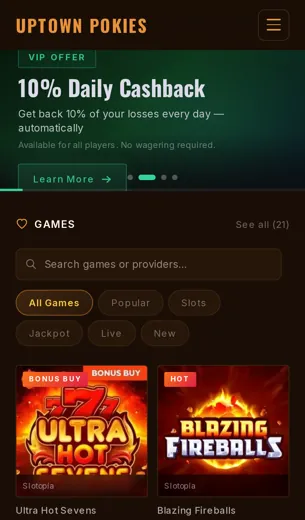
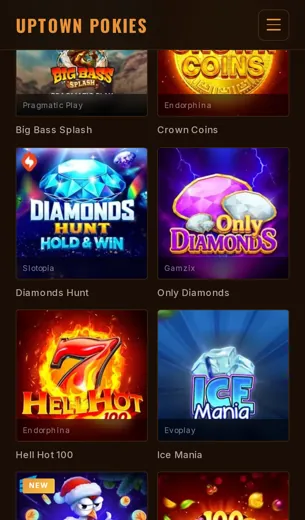
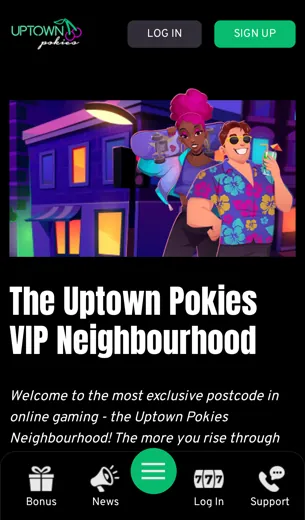
These screens show what you get after you log in on a phone. We took them so you can check the layout before you install anything. Each one shows a part of the app you will use every session: the lobby, game search, the cashier, the bonus page, live tables and support.
The lobby opens on the pokies most players come for, with Gates of Olympus, Book of Dead and Starburst near the top. Filters sort titles by provider, so Pragmatic Play, NetEnt and Push Gaming games each sit under one tap. The cashier lists Bitcoin, Litecoin, Ethereum, Visa and Mastercard with balances shown in AUD, and you can see the limits before you confirm a payment.
The promotions screen spells out the welcome offer of 250% plus 350 free spins, including the wagering terms. Live chat stays pinned to the bottom corner on every page. Check each screen against your own needs, then decide.

First Deposit Bonus
What the 250% match and 350 free spins give you, and what to check before you claim.
Our welcome package works the same in the app as it does on the desktop site. Your first deposit gets a 250% match, and we add 350 free spins on top. Deposit, opt in, play. You don't need a separate app-only code or a second account.
The free spins go on popular slots from providers like Pragmatic Play and NetEnt, so titles such as Gates of Olympus and Starburst are good places to use them. Bonus funds work across the slots lobby. Live tables from Evolution usually count less toward wagering, so read the terms before you take a seat there.
Fund your first deposit with Visa, Mastercard, Bitcoin, Litecoin or Ethereum, all in AUD-friendly amounts. Crypto deposits usually arrive in minutes. Card payments are often instant.
- Match: 250% on your first deposit
- Extras: 350 free spins on selected slots
- Banking: Visa, Mastercard, Bitcoin, Litecoin, Ethereum
- Help: live chat, email or phone if the bonus doesn't credit
Uptown Pokies App FAQ
Short answers to the questions players ask most about playing on mobile.
Is the Uptown Pokies app free?
Yes. Getting the app costs nothing. You only spend money when you make a deposit.
Which phones does it work on?
It works on current Android phones and iPhones. Use a stable connection and keep your browser or OS updated.
Can I claim the welcome bonus on mobile?
Yes. The 250% match and 350 free spins are the same on mobile as on desktop. Read the wagering terms before you opt in.
Which games can I play?
Slots, poker, live tables and betting. Popular titles include Gates of Olympus, Book of Dead and Starburst.
Who supplies the games?
Evolution, Pragmatic Play, NetEnt and Push Gaming.
How do I deposit?
Use Visa, Mastercard, Bitcoin, Litecoin or Ethereum. Balances are shown in AUD.
Are crypto withdrawals faster?
Usually, yes. Bitcoin, Litecoin and Ethereum payouts tend to clear before card payouts. Verify your account first to avoid delays.
Is my account the same on mobile and desktop?
Yes. One login, one balance, one bonus history.
Is the casino licensed?
Yes, under Curacao eGaming. You'll find the full details in the license section below.
How do I contact support?
Use live chat, email or phone. Live chat is the fastest.
Can I set deposit limits?
Yes. Set them in your account settings, or ask support to apply them for you.